




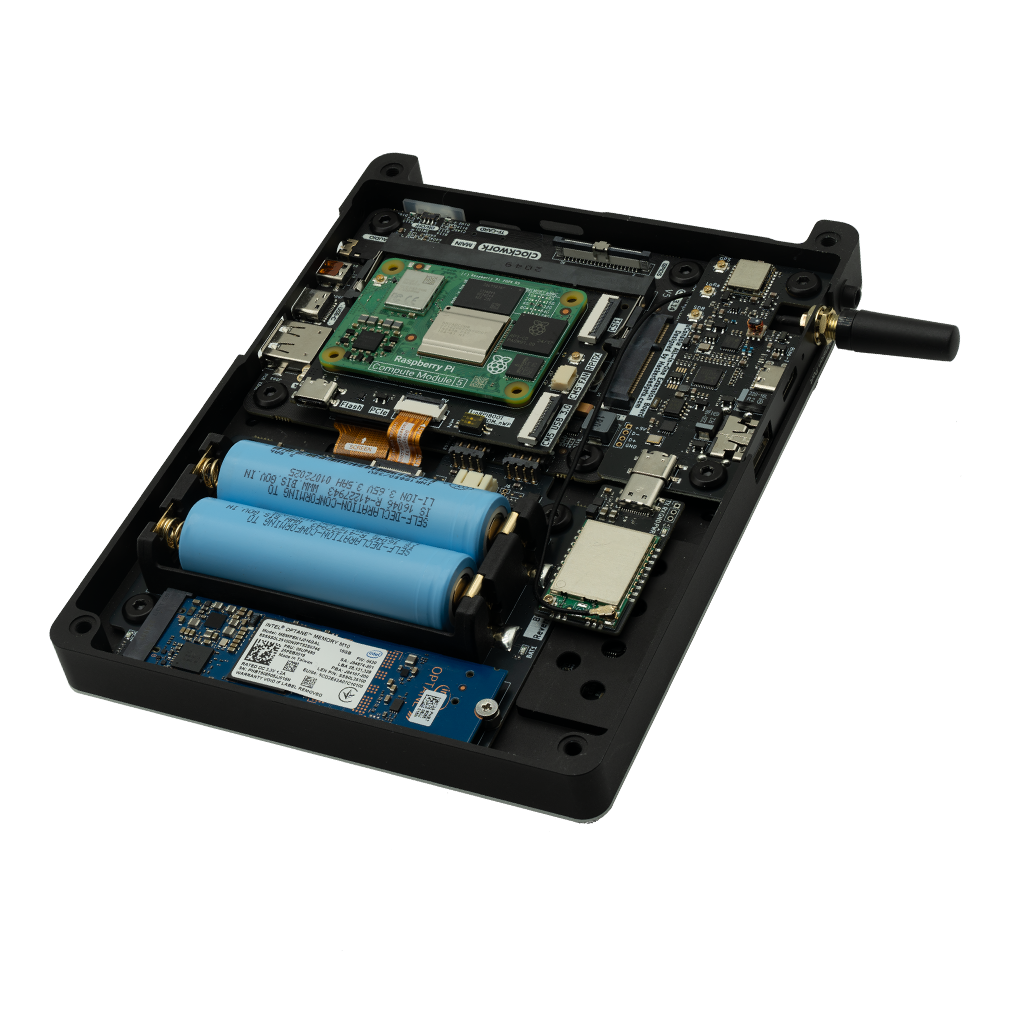
1) After installing the RJ45 Ethernet and USB 3.0 expansion board. If the uConsole can't boot, make sure the ribbon cable is installed as shown in the picture below. Never ever plug in the charger if the ribbon cable is installed the wrong way; otherwise, it will damage the uConsole mainboard.

2) The uConsole, Computer module, AC1200 WiFi card, and batteries shown in the photos are not included in any variants.
3) If your address is in the remote area list of the selected courier, your order will be charged for the surcharge later.
4) The AC1200 WiFi card is not listed in the variants. Please buy it from this link.
The Antennas kit is not listed in the variants. Please buy them from these link:
Antennas pack: link
Antennas mounting kit: link
The uConsole upgrade kit lets you unleash the full potential of uConsole by adding PCIe NVMe storage, RJ45 Gigabit Ethernet, USB 3.0 (CM5 only), and AC1200 WiFi with monitor mode support.
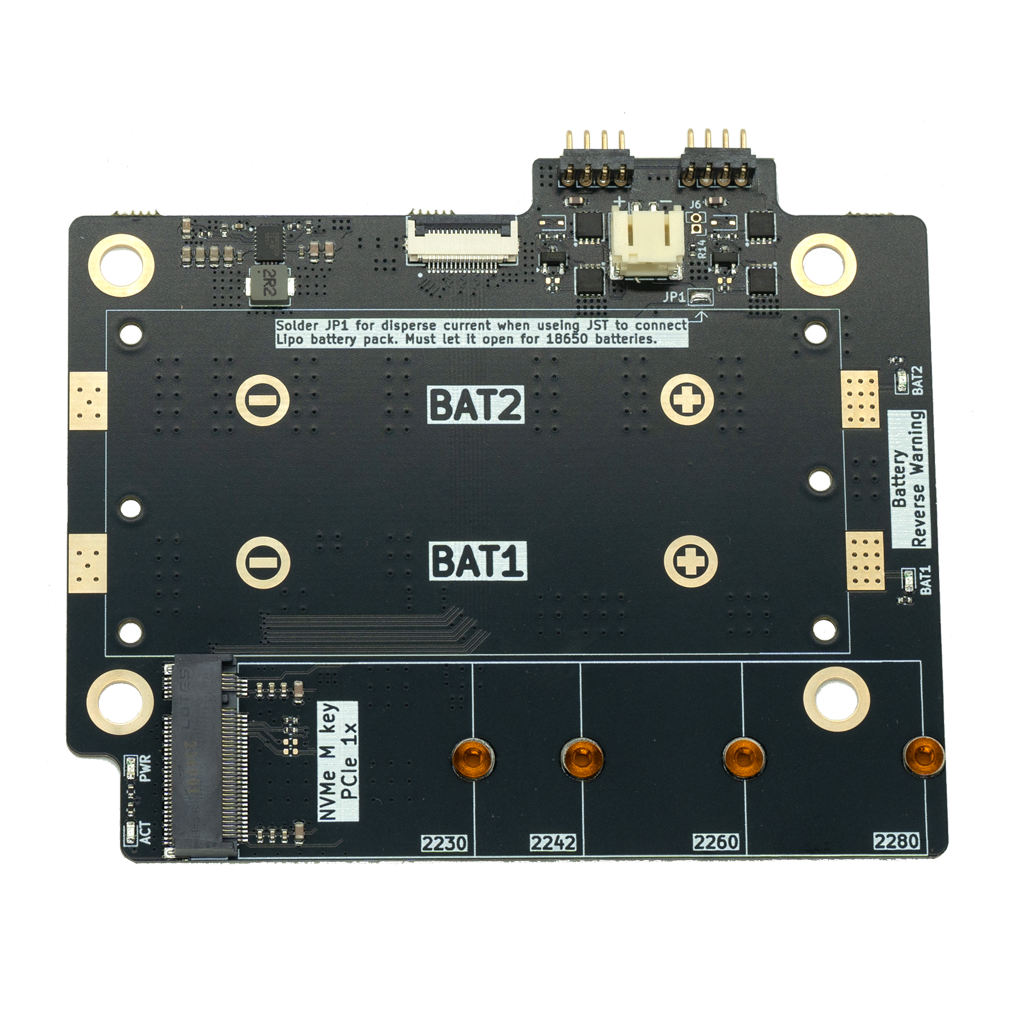
This kit contains three boards: the Adapter Board, the NVMe Battery Board, and the RJ45 Ethernet & USB 3.0 Expansion Board.

- Exposes PCIe signals of CM4 / CM5
- Connects to the NVMe Battery Board
- Enables NVMe SSD storage expansion
- Used to flash the eMMC version of the compute module
- Standard USB-C interface
- Connects to the RJ45 & USB 3.0 expansion board
- USB 3.0 speed available on CM5 only
- Compatible with Raspberry Pi 5 / CM5 fans
- Fixed speed when used with CM4
- Connected to GPIO4, used by RPITX project
- Enables software-defined radio signal transmission
- Not fully tested yet
- CSI2 follows exact Raspberry Pi 5 pin definition
- Connects Raspberry Pi camera modules
- RTC battery connector for CM5 timekeeping (do not connect on CM4)
- Ethernet signals routed to expansion port CSI pins

- Supports NVMe SSD sizes: 2230 to 2280
- Connected via PCIe from the Adapter Board
- Significantly expands uConsole storage capacity
- Improved reverse-polarity protection — no heat on wrong connection
- Reverse warning LED indicator
- Manual on/off: desolder R14 and wire a push-lock switch to J6
- Two variants: dual 18650 cells or LiPo battery pack

- Dual 21700 cells — 4 hours 31 minutes of 1080p video playback
- Dual 18650 board offers only 2 hours 27 minutes by comparison
- 5A continuous discharge — handles uConsole's heavy-load requirements
- Stable voltage curve all the way to full discharge
- Fully compatible with the original uConsole back cover, no modifications needed
- Most LiPo batteries have a 3A protection cutoff — uConsole needs 5A under load
- LiPo voltage drops sharply at low charge, causing unexpected reboots before full discharge
- 21700 cells deliver stable 5A output and a flat discharge curve
- More reliable and predictable runtime for demanding workloads


- Directly connected to CM4 / CM5 Ethernet controller
- 1 Gbps Gigabit speed with LED indicators
- Stable wired network for demanding applications
- USB 3.0 Type-A and Type-C (USB 3.0 on CM5, USB 2.0 on CM4)
- Type-C supports flip-over connection
- USB 2.0 Type-C and pin header for internal uConsole devices
- 17 GPIO pins + power pins exposed via pin header
- USB-A port on the side replaced by RJ45 Gigabit Ethernet
- GPIO now controls power of GPS / LoRa / RTL-SDR / Internal USB ports
- USB-C ports run at USB 3.0 speed when using CM5

- MediaTek MT7921AUN, supports monitor mode
- WiFi 6 / 6E support
- Bluetooth 5.2 combo
- Easy installation with AIO board in uConsole
- USB-C connector with USB 3.2 GEN 1 speed
- 4× IPEX external antenna connectors
- Integrated Bluetooth antenna
- LED power indicator